
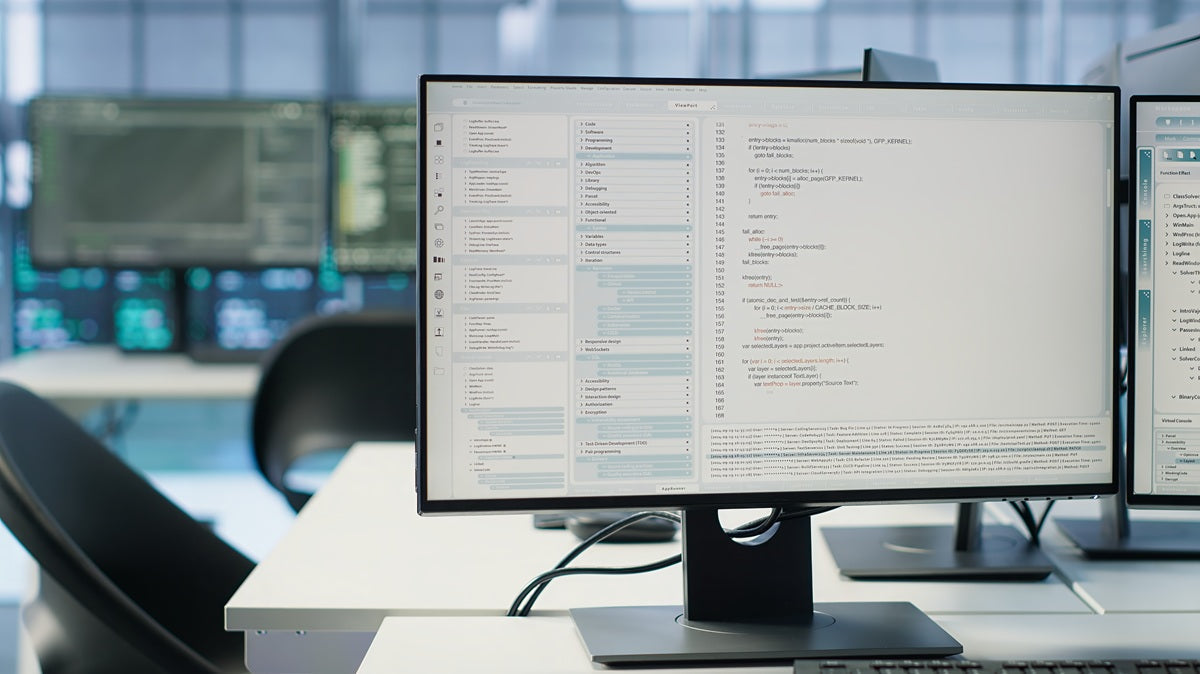
A monitor is often the centrepiece of a workspace, but choosing the right monitor setup involves more than simply selecting a screen size. Today's professionals, remote workers, students, gamers, designers, and content creators can choose from several popular configurations, including single-monitor, dual-monitor, and ultrawide setups.
Each option offers distinct advantages and potential drawbacks. What works perfectly for a software developer may feel restrictive to a graphic designer, while a setup that benefits a financial analyst may be unnecessary for someone who primarily handles emails and documents.
At Guilds.Store, we frequently see people focus on buying larger monitors without first evaluating how they actually work. The best monitor setup is not necessarily the most expensive or the most impressive. It is the one that supports your workflow, fits your available space, and helps you work comfortably throughout the day.
This guide compares single, dual, and ultrawide monitor configurations to help you determine which setup best matches your work style and workspace goals.
Key Takeaways
-
The ideal monitor setup depends on your workflow, multitasking habits, and available desk space.
-
Single-monitor setups offer simplicity and efficiency for many everyday tasks.
-
Dual monitors remain one of the most productive solutions for heavy multitasking.
-
Ultrawide displays provide seamless screen space without the bezels found in multi-monitor setups.
-
Choosing VESA compatible monitors can provide greater flexibility for future workspace upgrades.
Why Your Monitor Setup Matters
Your monitor setup directly influences how you interact with information throughout the day.
A well-designed configuration can improve:
-
Productivity
-
Comfort
-
Focus
-
Multitasking efficiency
-
Desk organisation
A poorly designed setup may contribute to:
-
Neck strain
-
Eye fatigue
-
Reduced efficiency
-
Workspace clutter
-
Unnecessary distractions
Before selecting a monitor configuration, it helps to understand how different setups support different working styles.
The Single Monitor Setup: Simplicity and Focus
The single monitor remains one of the most common workspace configurations.
While some people view it as limited compared to larger setups, a single display often provides everything many users need.
Benefits of a Single Monitor Setup
A single monitor offers several practical advantages.
Cleaner Workspace
One display naturally reduces clutter and creates a more minimalist desk environment.
Benefits include:
-
Simpler cable management
-
Easier organisation
-
Reduced visual distractions
-
More desk space
Lower Cost
A single monitor setup typically requires:
-
One display
-
One stand or mount
-
Fewer accessories
This makes it one of the most affordable options.
Improved Focus
Some users find that fewer screens help them stay focused on priority tasks rather than constantly shifting attention between windows.
Best Users for a Single Monitor Setup
A single monitor often works well for:
-
Students
-
Administrative professionals
-
Writers
-
Customer service representatives
-
Casual users
-
Small home office setups
For many people, a modern 27-inch monitor provides more than enough screen space.
The Dual Monitor Setup: The Multitasking Champion

Dual monitors have long been associated with productivity.
For users who frequently work with multiple applications simultaneously, the benefits can be substantial.
Before diving into specific advantages, it is important to understand that dual monitors are most effective when workflows involve constant switching between information sources.
Viewing Multiple Applications Simultaneously
One of the biggest advantages is the ability to dedicate each screen to a different task.
Examples include:
-
Email on one monitor and spreadsheets on the other
-
Research on one screen and writing on the second
-
Video meetings alongside active project work
This reduces the need to constantly switch windows.
Improved Workflow Efficiency
Dual displays often help users:
-
Compare documents
-
Analyse data
-
Monitor dashboards
-
Manage communications
A systematic review published on PubMed found strong evidence that dual-monitor configurations align with user preferences and support measurable workflow improvements for tasks involving frequent reference and comparison.
Flexibility Through VESA Compatible Monitors
Dual setups become even more effective when using VESA compatible monitors.
VESA mounting systems allow:
-
Height adjustment
-
Better positioning
-
Monitor arms
-
Flexible viewing angles
These adjustments improve both comfort and workspace organisation.
Best Users for a Dual Monitor Setup
Dual monitors are particularly popular among:
-
Programmers
-
Financial analysts
-
Project managers
-
Researchers
-
Customer support teams
-
Digital marketers
Users who constantly reference information while completing tasks often benefit most.
The Ultrawide Monitor Setup: Seamless Productivity

Ultrawide monitors have become increasingly popular as an alternative to dual-screen configurations.
Instead of using two separate displays, users gain one large continuous workspace.
Benefits of an Ultrawide Setup
The primary appeal of ultrawide monitors is continuity.
No Centre Bezel
Unlike dual monitors, ultrawide displays eliminate the gap between screens.
Benefits include:
-
Smoother workflows
-
Better visual continuity
-
Improved immersion
-
Easier window arrangement
Excellent Multitasking
Modern operating systems allow windows to be organised efficiently across ultrawide screens.
Users can often replicate dual-monitor functionality while maintaining a cleaner appearance.
Better for Creative Work
Designers, editors, and content creators often appreciate the expanded horizontal workspace.
This can be particularly useful for:
-
Video editing
-
Graphic design
-
Audio production
-
Photography
Potential Drawbacks
Ultrawide displays are not perfect for everyone.
Possible challenges include:
-
Higher cost
-
Greater desk space requirements
-
Increased monitor weight
-
More demanding mounting requirements
Users should carefully evaluate their available workspace before investing.
Comparing Single, Dual, and Ultrawide Monitor Setups
The following comparison highlights how each option performs across common workspace considerations.
|
Factor |
Single Monitor |
Dual Monitors |
Ultrawide Monitor |
|
Simplicity |
Excellent |
Moderate |
Good |
|
Multitasking |
Moderate |
Excellent |
Excellent |
|
Desk Space Efficiency |
Excellent |
Moderate |
Good |
|
Cable Management |
Excellent |
Moderate |
Good |
|
Cost |
Lowest |
Moderate |
Highest |
|
Productivity Potential |
Good |
Excellent |
Excellent |
|
Gaming Experience |
Good |
Moderate |
Excellent |
|
Creative Work |
Good |
Excellent |
Excellent |
|
Workspace Aesthetics |
Good |
Good |
Excellent |
The best choice depends on how you prioritise these factors.
How Desk Space Influences Your Decision
Many monitor setup decisions are ultimately determined by available desk space.
Small Desks
Compact workstations often benefit from:
-
Single monitors
-
Space-saving monitor arms
-
Minimalist setups
This helps prevent overcrowding.
Medium-Sized Desks
These desks can comfortably support:
-
Larger single monitors
-
Dual-monitor configurations
-
Compact ultrawide displays
Users have greater flexibility.
Large Desks
Large workstations provide enough room for:
-
Ultrawide monitors
-
Dual-monitor setups
-
Additional accessories
-
Dedicated work zones
The larger the desk, the more options become practical.
The Importance of Ergonomics Regardless of Setup
No matter which monitor setup you choose, ergonomics remain essential.
Proper Viewing Height
The top portion of the screen should generally align close to eye level.
Appropriate Viewing Distance
Viewing distance should match monitor size.
Larger displays often require greater distance to maintain comfort.
Flexible Positioning
This is one reason many professionals prefer VESA compatible monitors.
Mounting systems allow users to optimise monitor placement as their needs evolve.
Reducing Neck Movement
Particularly with dual monitors and ultrawide displays, proper positioning helps minimise unnecessary head and neck movement.
Questions to Ask Before Choosing a Monitor Setup
Before making a decision, consider the following:
How Often Do You Multitask?
Heavy multitaskers often benefit from dual or ultrawide setups.
What Type of Work Do You Perform?
Creative professionals may prioritise screen space differently than administrative users.
How Much Desk Space Is Available?
Workspace dimensions may eliminate certain options immediately.
Do You Plan Future Upgrades?
Choosing VESA compatible monitors can make future adjustments significantly easier.
Is Aesthetic Simplicity Important?
Some users strongly prefer the cleaner appearance of single or ultrawide configurations.
Creating a Complete Workspace Around Your Monitor Setup
The monitor itself is only one part of a productive workstation.
Other factors contribute significantly to daily comfort and efficiency, including:
-
Monitor stands
-
Monitor arms
-
Cable management solutions
-
Desk organisers
-
Ergonomic accessories
-
Task lighting
-
Cleaning tools
When these elements work together, the result is a workspace that feels both functional and organised.
Our goal is to help create everything your desk needs, from monitor solutions and ergonomic accessories to organisational tools and workspace essentials that support long-term productivity.
A monitor setup performs best when supported by an equally thoughtful desk environment.
Choosing the Right Monitor Setup for Your Work Style
There is no universally perfect monitor setup. A single monitor provides simplicity and focus, dual monitors excel at multitasking, and ultrawide displays offer a seamless workspace that many professionals find highly efficient.
The right choice depends on your workflow, desk space, budget, and personal preferences. By evaluating how you work rather than simply following trends, you can create a setup that improves both productivity and comfort.
At Guilds.Store, we believe the best workspaces are designed around real-world needs. Whether you choose a single display, a dual-monitor configuration, or an ultrawide screen, pairing your setup with quality accessories and considering future flexibility through VESA compatible monitors can help create a workspace that continues to support your goals for years to come.
Frequently Asked Questions
Is a larger monitor always better for productivity?
Not necessarily. Productivity depends more on how effectively screen space supports your workflow than on monitor size alone. Some users work more efficiently with multiple smaller displays than with a single large screen.
Can a laptop replace a second monitor?
For certain tasks, a laptop can function as a secondary display. However, dedicated monitors generally provide better ergonomics, visibility, and multitasking capabilities.
Do ultrawide monitors consume more power than standard monitors?
Ultrawide monitors often consume more power because of their larger display area, though energy efficiency varies significantly between models.
How long does it take to adapt to a new monitor setup?
Most users adjust within a few days to a few weeks. Dual-monitor and ultrawide setups may require some workflow changes before their full benefits become apparent.
Are curved ultrawide monitors better than flat ultrawide monitors?
Curved ultrawide displays can improve viewing comfort by keeping more of the screen within a consistent viewing distance, particularly on larger models.
Everything Your Desk Needs for a Clean and Productive Setup
Everything Your Desk Needs for a Clean and Productive Setup